
How to pay & activate your plan
We partner with G2A, a trusted marketplace, to process payments. It's a simple flow:
- You buy your plan on G2A with your card or another method.
- G2A emails you an activation code.
- You enter that code on Fanfinity (Settings → Redeem) and your plan activates instantly.
Part 1 · Buy your plan on G2A
Choose your plan on Fanfinity
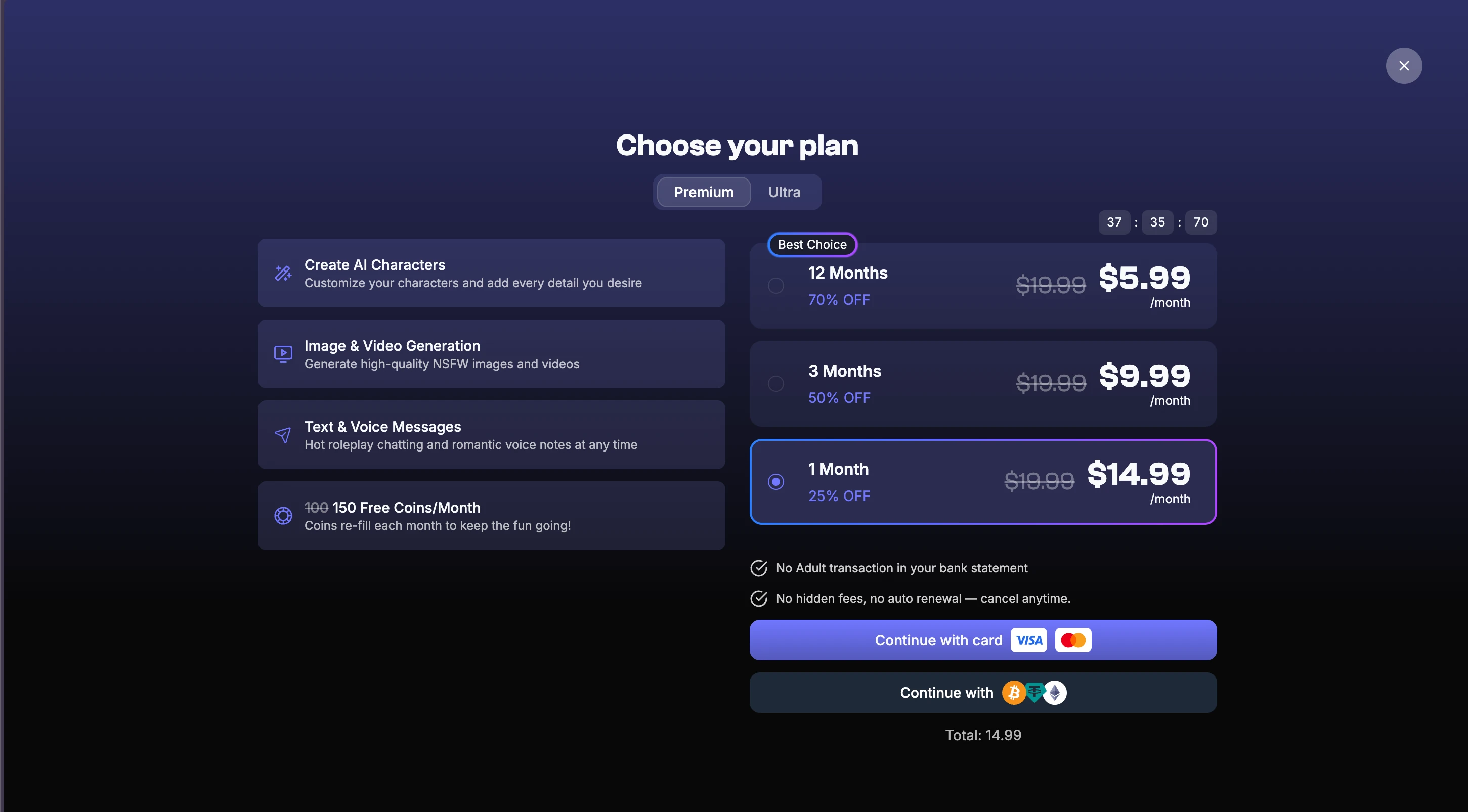
On the plans page, pick Premium or Ultra and your billing length, then click “Continue with card”. We'll take you straight to that exact plan on G2A, our payment partner.
Add the plan to your cart on G2A
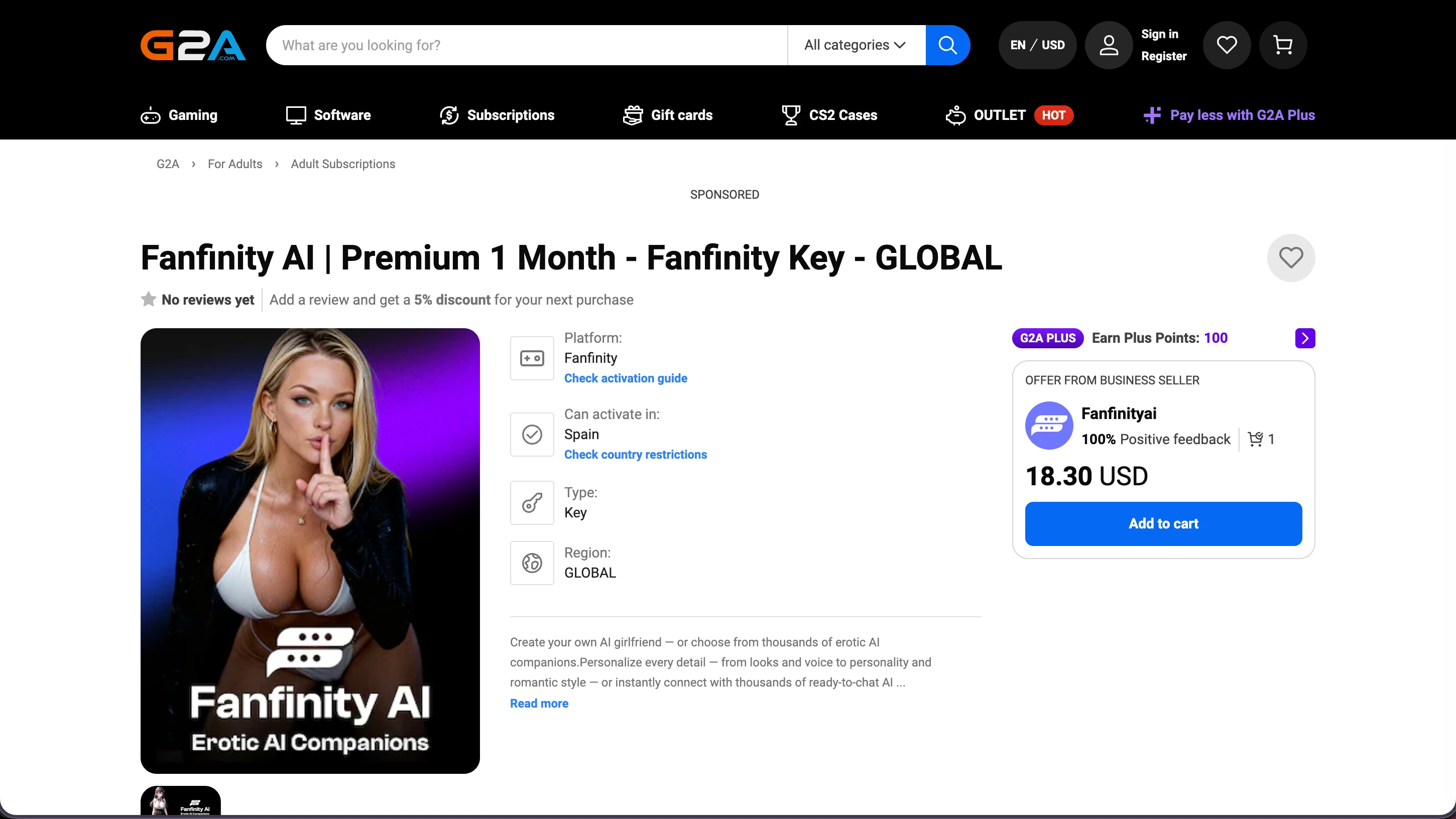
On the G2A product page that opens, click “Add to cart”.
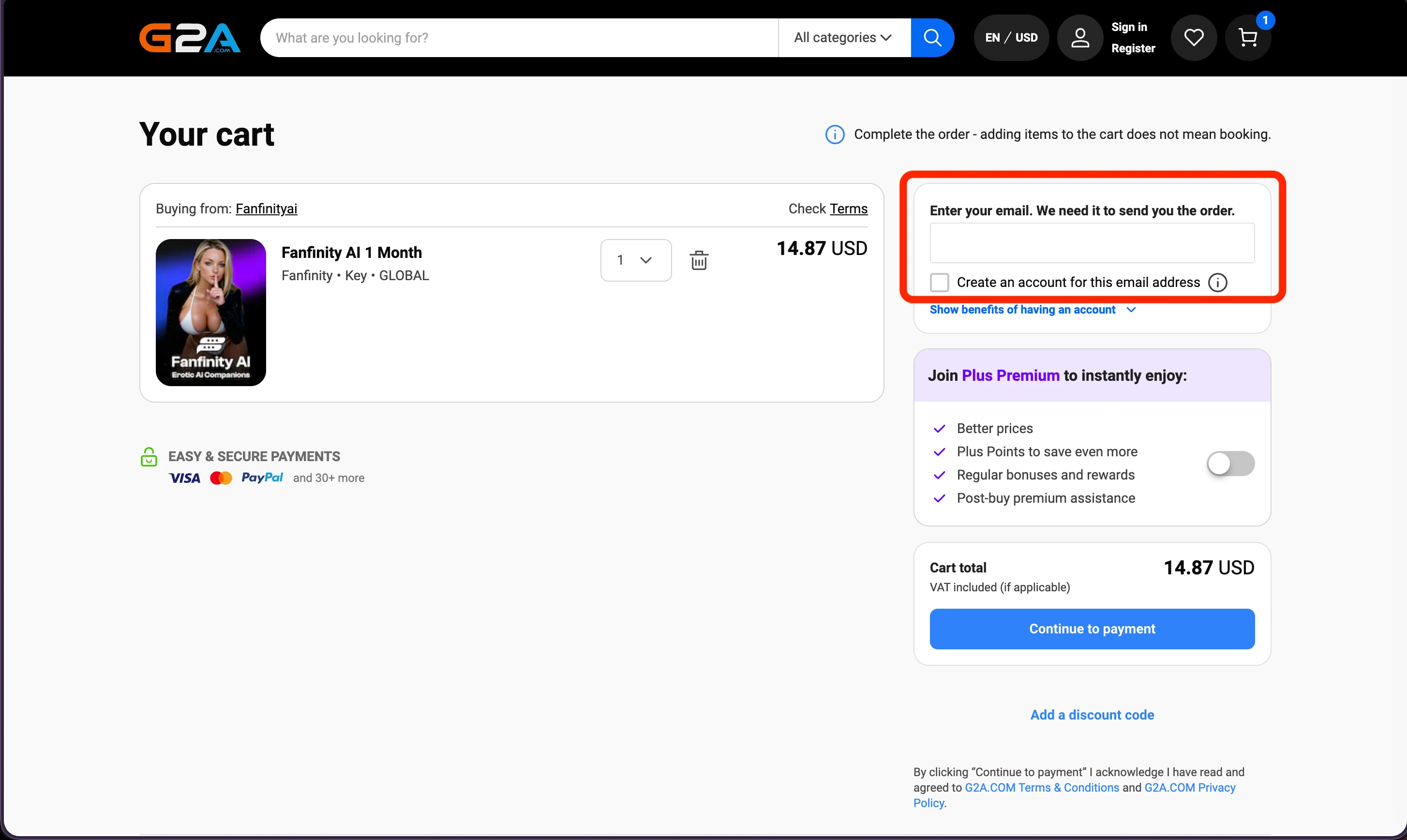
Enter your email, then continue to payment
Type the email where you want your activation code delivered — this is where G2A sends it, so use an inbox you can access. Then click “Continue to payment”.
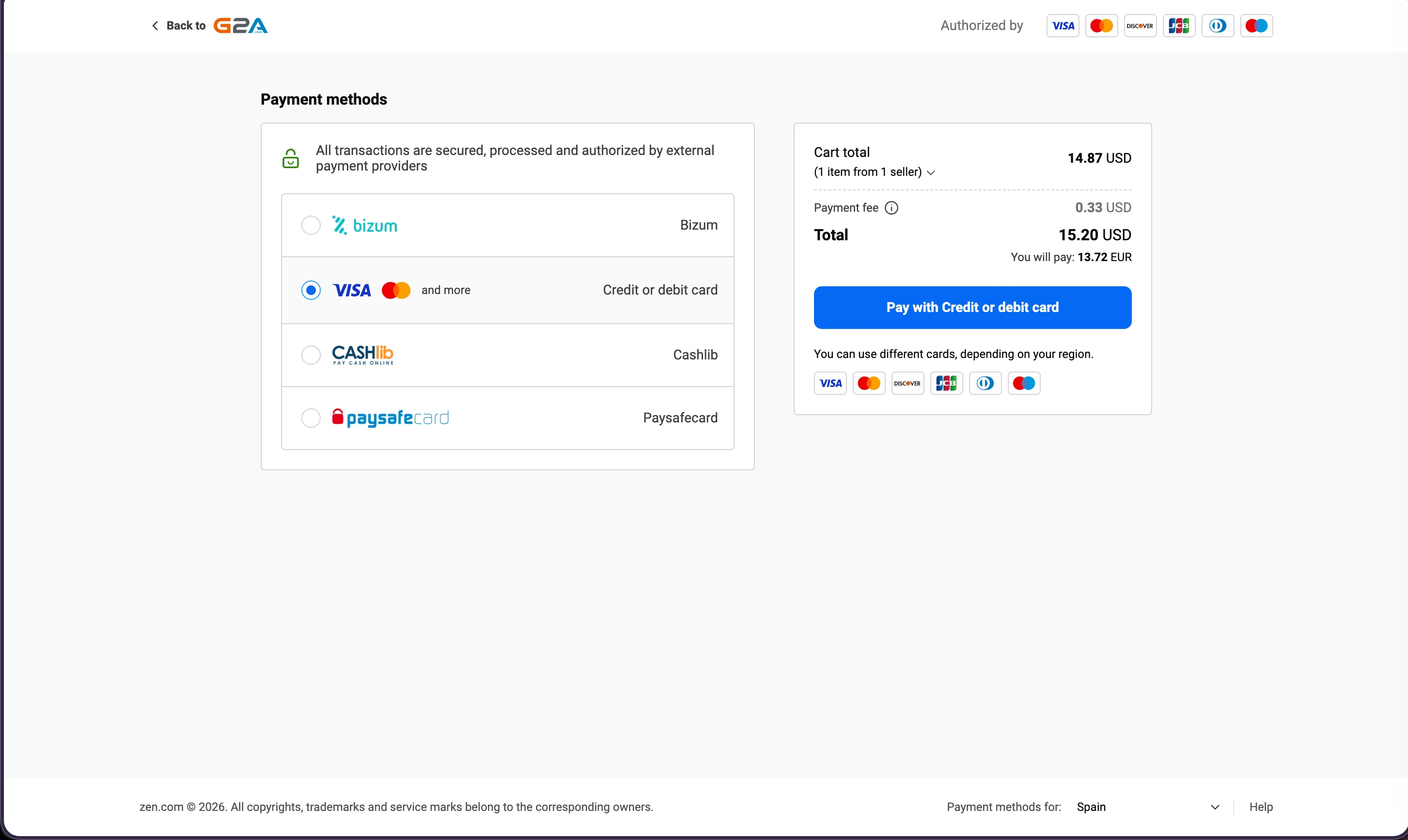
Choose a payment method and pay
Pay with credit/debit card, Bizum, Cashlib, or Paysafecard — whatever suits you. The total may include a small G2A processing fee.
Part 2 · Get your code by email
Once your payment goes through, G2A emails you your Fanfinity activation code. It looks like PREMIUM3-A1B2C3D4. You can also find it in your G2A account under your orders. Copy it — you'll paste it in the next step.
Part 3 · Redeem your code on Fanfinity
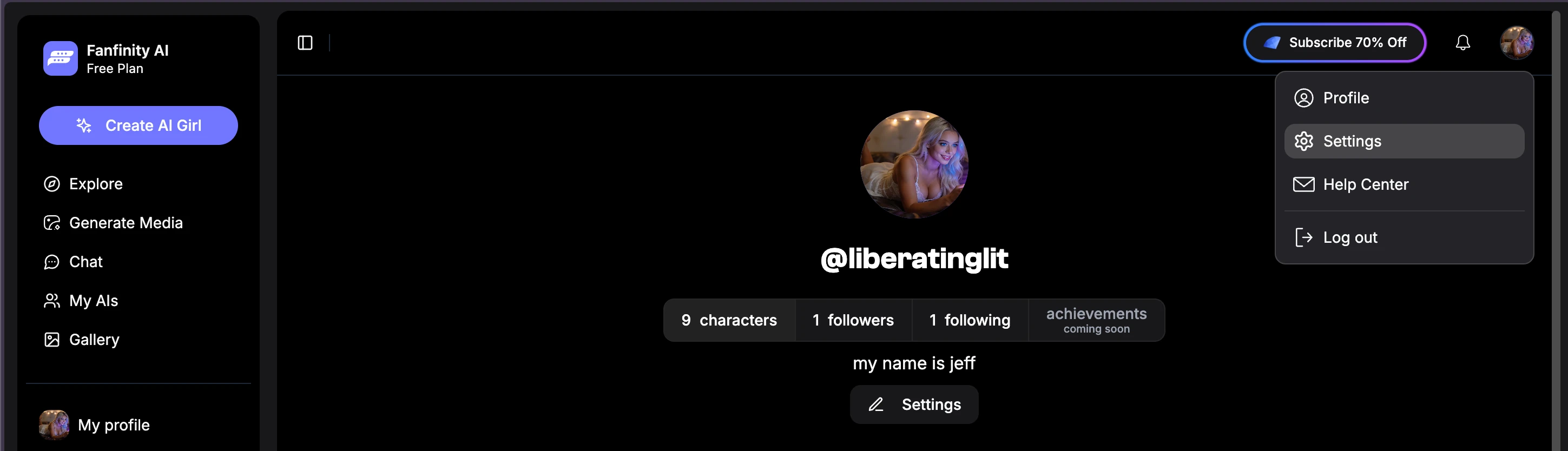
Open Settings
Back on Fanfinity, sign in, click your profile picture in the top-right corner, and choose “Settings”.
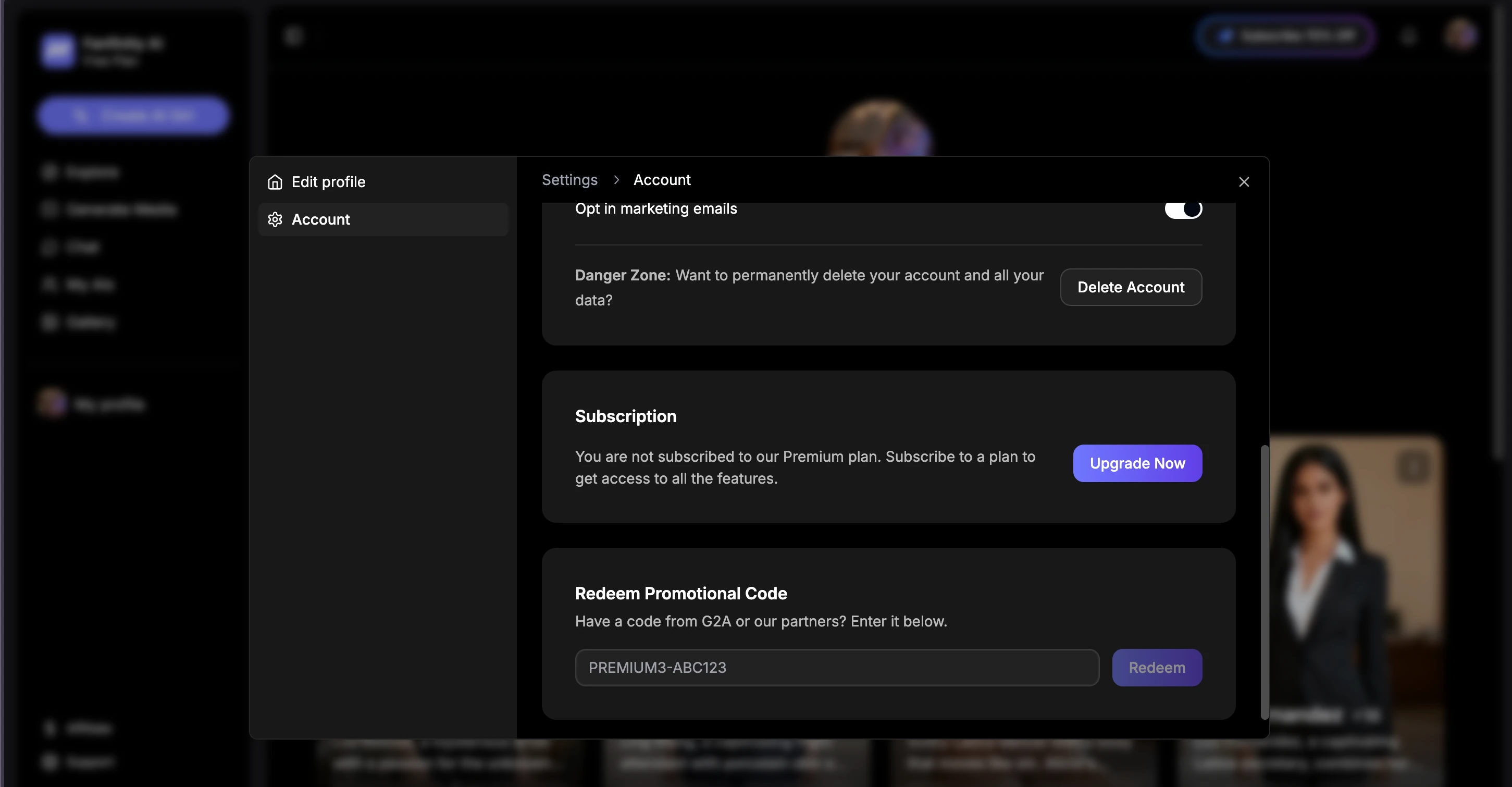
Paste your code and click Redeem
Go to the Account tab and find “Redeem Promotional Code”. Paste the code from your email and click “Redeem”. Your plan activates right away.
Still stuck?
If your code doesn't arrive or won't redeem, we're happy to help — or email us at info@fanfinity.ai.